

Credits, Plans & Modes
← Projects, Shots & Renders · User Guide · Next: Render Video workspace →Credits
Credits are the unit of cost in Mago. Every render in Credits mode consumes credits. The exact cost depends on the model, frame range, resolution, and steps.💡 Tip — The Generate button always shows the credit cost before you submit. Adjust settings to fit your budget.
Credits mode
The default mode. Each render consumes credits from your balance. You can launch up to 5 video renders at the same time (image renders are not limited), and a single render can cover up to 2,000 frames. Available on every plan.Relaxed and Unlimited modes
Paid plans include a mode that renders without consuming credits: Relaxed mode on the Pro plan and Unlimited mode on the Studio plan. Useful for experimentation, learning, or low-stakes work.- Switch it on with the toggle in the top bar, next to your credit balance. The toggle is labelled with your plan’s mode and only appears when your plan includes one. While it is on, the credit balance is shown locked.
- A small usage wheel next to the toggle shows the percentage of your daily usage already consumed. Hover it to read the exact percentage; it turns red when usage is high.
- When you reach your daily or weekly limit, an alert tells you in how many hours it resets. You can then switch to Credits mode or buy credits to keep rendering.
Which models are free in each mode:
- Relaxed mode (Pro): all Mago video and upscale models, plus the GPT Image 2 image model. Other API models (Kling, Seedance, Happy Horse) and the other image models are not included.
- Unlimited mode (Studio): every model, including API models (Seedance, Kling, etc.) and all image models.
⚠️ Warning — If the selected model is not included in your plan’s mode, the Generate button is disabled while the mode is on and an alert reads “This model is not available in Relaxed mode”. Switch to Credits mode to use it. Script project reference images always use Credits mode.
Plans
Switch plans via Pricing in the top bar. Monthly and yearly billing are available; the Yearly tab shows the discount and displays each plan’s price per month (Pro EUR 24.50, Studio EUR 120).
Credit packs
One-time top-ups for users who want to add to a plan, or buy credits without a subscription. Larger packs have a steeper per-credit discount.The queue
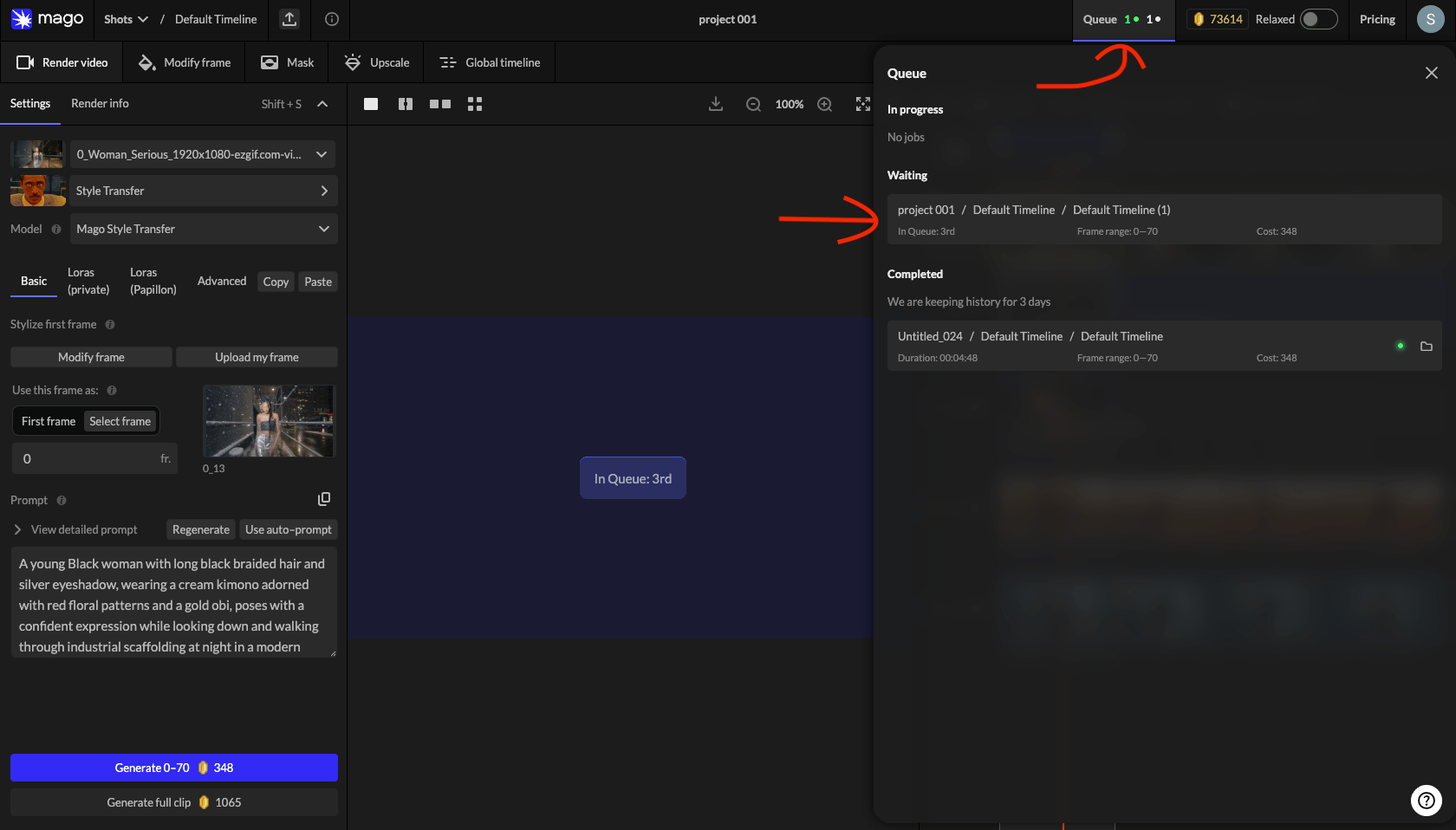
Renders submitted in Relaxed mode or during GPU saturation wait in a queue. The top-bar counter shows in-progress, waiting, and recently completed renders.
Each queue entry shows project, shot, render name, duration, frame range, and credit cost. Click an entry to navigate to that render.
⚠️ Refunds — Renders that take multiple hours almost always indicate an error. Contact support to request cancellation, refund, and re-rendering. See Troubleshooting → render time.
Billing & payments
- Payments are processed by Stripe.
- Cancel anytime.
- Supported methods: Visa, Mastercard, UnionPay, and other major cards.
- Billing history and invoices: click your profile icon (top-right) → Billing info.
← Projects, Shots & Renders · User Guide · Next: Render Video workspace →